One thing at a time, but not one after the other
A list of eight cards appearing. The naive implementation animates all eight identically at the same instant, which reads as a single block appearing: you have gained nothing over showing them instantly. The over-corrected implementation animates them one at a time, each waiting for the last to finish, and eight cards at 300ms each takes 2.4 seconds, which is an eternity.
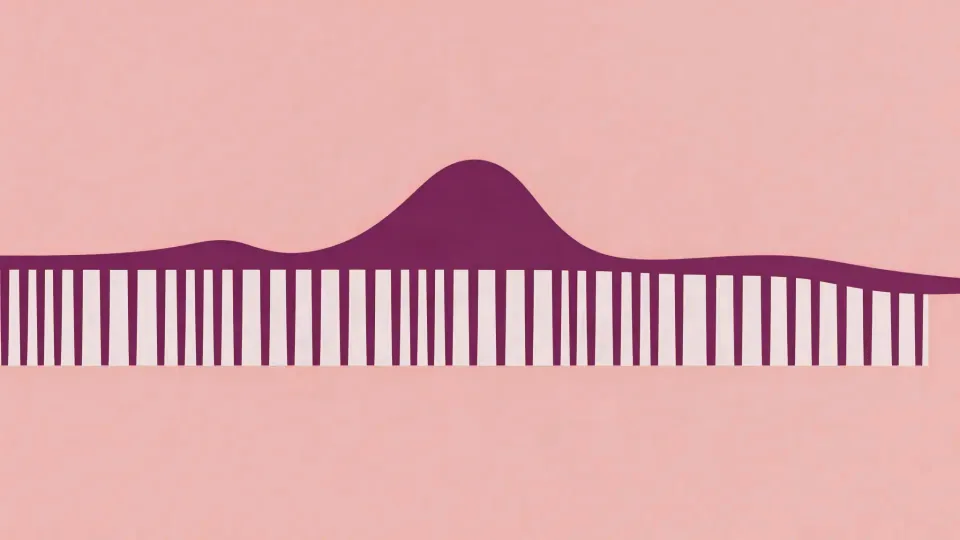
The technique in between is the stagger: each item starts a fixed offset after the previous one, and they overlap heavily.
The numbers
- 20 to 60ms of offset per item is the useful range for interface work. Below about 15ms the eye cannot separate them and it reads as simultaneous. Above about 80ms it reads as a queue and the last item feels late.
- Cap the total. With a 40ms stagger, twenty items means the last one starts 760ms after the first: too slow. The fixes are either a maximum total stagger window (divide the window by the item count) or a cap on how many items stagger at all, with the rest appearing together.
- Only stagger what is visible. Staggering items below the fold wastes the budget on things nobody is looking at, and on a long list it can mean animating hundreds of elements.
In CSS this is usually a custom property set per item:
.card { animation: rise 260ms var(--ease-enter) both;
        animation-delay: calc(var(--i) * 40ms); }
with --i set inline from the index. In the Web Animations API it is a delay per element; in GSAP and Motion it is a stagger option that does the same arithmetic.
Direction carries meaning
A stagger has an order, and the order is a statement.
- Top to bottom for a list: matches reading order, feels like the content filling in.
- From the point of interaction outward: a menu opening from the button it belongs to, items nearest the button first. This reinforces the causal link.
- Reverse on exit. If items entered top-first, they should leave bottom-first, so the exit is not a replay of the entrance. Most libraries let you reverse the stagger direction with one flag, and almost nobody does it.
- Never random. A randomised stagger reads as broken rather than organic, because the eye is looking for the pattern and cannot find one.
Overlap, not sequence
For a compound transition (a sheet rising while its header fades in while its content slides up) the amateur version runs these in series and takes 900ms. The professional version overlaps them so the whole thing takes 400ms and still reads as three distinct events.
The rule that works: start the next element when the previous one is about 40 to 60 per cent through, not when it finishes. The eye has already registered the first movement’s direction and intent by then; waiting for the settle adds time and communicates nothing.
This is easier to reason about with a timeline than with delays. GSAP’s timeline, Motion’s sequence array, and After Effects’ layer bar view are all the same idea: positions on a shared clock rather than numbers added up in your head. Once you have more than three overlapping elements, delay arithmetic becomes unmaintainable: change one duration and every downstream number is wrong.
One focal point
The strongest constraint in orchestration is attention: people can attend to one moving thing. If four elements move in four directions at once, the viewer picks one and misses the rest.
So decide what the transition is about. If a dialogue opens, the dialogue is the event; the background dimming is support and should be slower, smaller and less contrasty. If a card expands into a page, the card is the event and everything else should cross-fade. When everything is animated with equal energy, nothing is emphasised: the same failure as a document where every word is bold.
When staggering is wrong
- A list the user already knows. Returning to a list you have seen a hundred times and watching it assemble itself is friction, not delight. Consider staggering only on first load.
- Anything the user is about to interact with quickly. If the third item is the one they always tap, a 120ms delay before it is tappable is a cost with no benefit. Make items interactive immediately even while animating.
- Search results. People scan these fast. Staggering delays the scan.
- Under reduced motion. Collapse the stagger to zero and cross-fade the set.
The free path
- GSAP: free for all use now, and its
staggerobject handles grids, distance-from-a-point ordering and reverse. - Motion: open source,
staggerChildrenanddelayChildrenon a parent variant. - Plain CSS: an index custom property and
calc()covers most of it with no dependency at all. - Blender, for non-web work, has an offset-per-object approach through drivers or the NLA editor, free.
The limitation
Stagger is the effect most likely to be praised in a portfolio and disliked in daily use. It photographs well and it tests badly, because a reviewer watches it once and a user meets it forty times a day. The honest position is that it belongs in moments that happen rarely (a first load, an empty state filling, a result arriving after work) and does not belong in the paths people repeat. Very few teams measure this, and most ship the same stagger everywhere because it looked good in the review.
Every lesson here is open. Your progress is recorded once you pass the Video with AI exam.
Check your understanding
A list of 24 cards uses a 60ms stagger. Reviewers like it; users call the screen slow. What is the mechanism behind the complaint?
Pick the one you would defend. Your answer stays private.
 Stuck on something?Ask Deepa, your AI tutor